


Starting a new audit
Auditee information
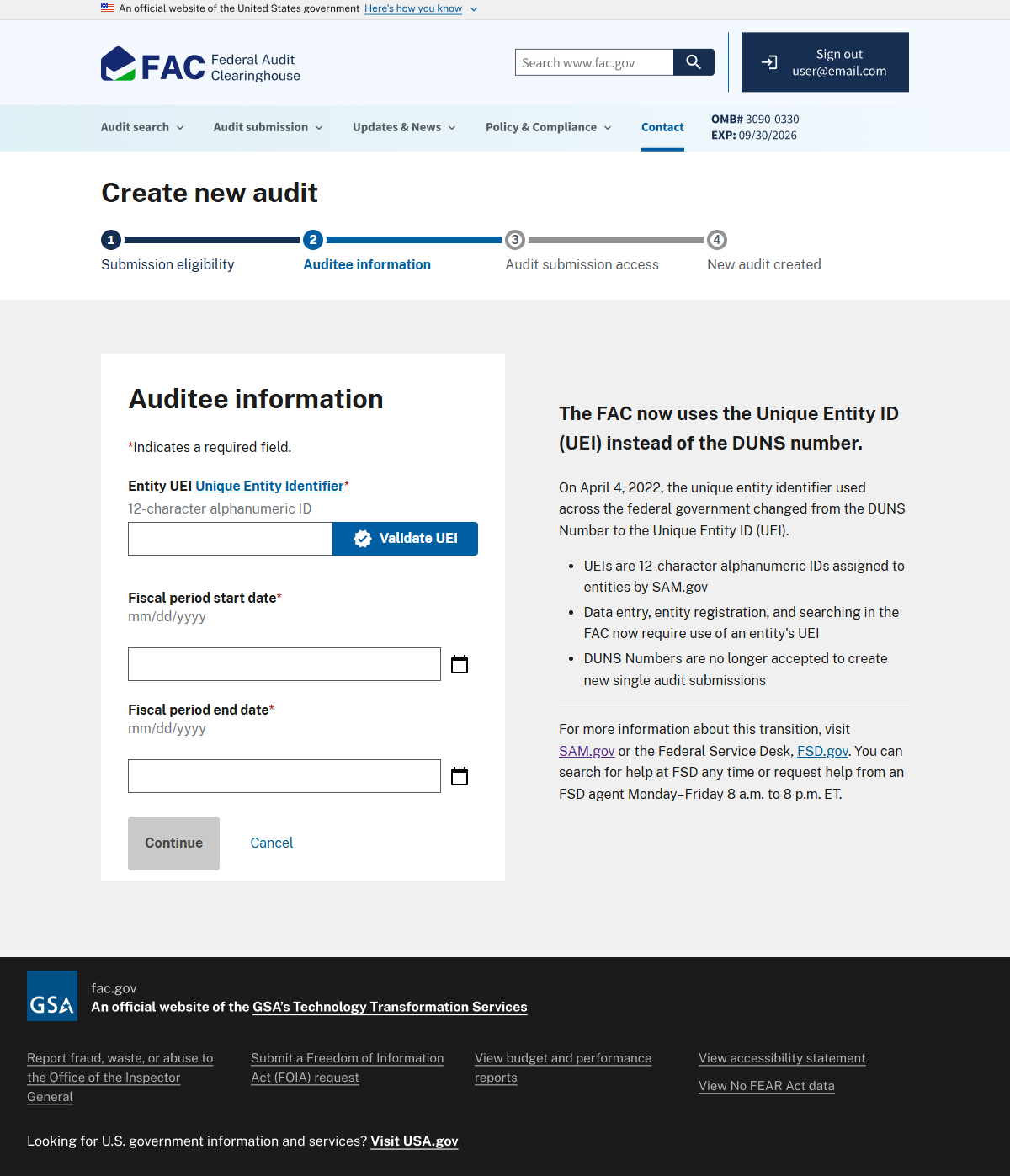
The FAC uses the Unique Entity ID (UEI) to identify entities in all audit submissions. UEIs are 12-character alphanumeric IDs assigned by SAM.gov. You can't start an audit without a valid UEI, and you must use your entity's UEI to manage audit submissions in the FAC.
The fiscal period dates should be the start and end date for the expenditures covered in your audit.
Image
A screenshot of the FAC auditee information page. On the center left, there are three text input fields. From top to bottom: Entity UEI, Fiscal period start date, and Fiscal period end date.
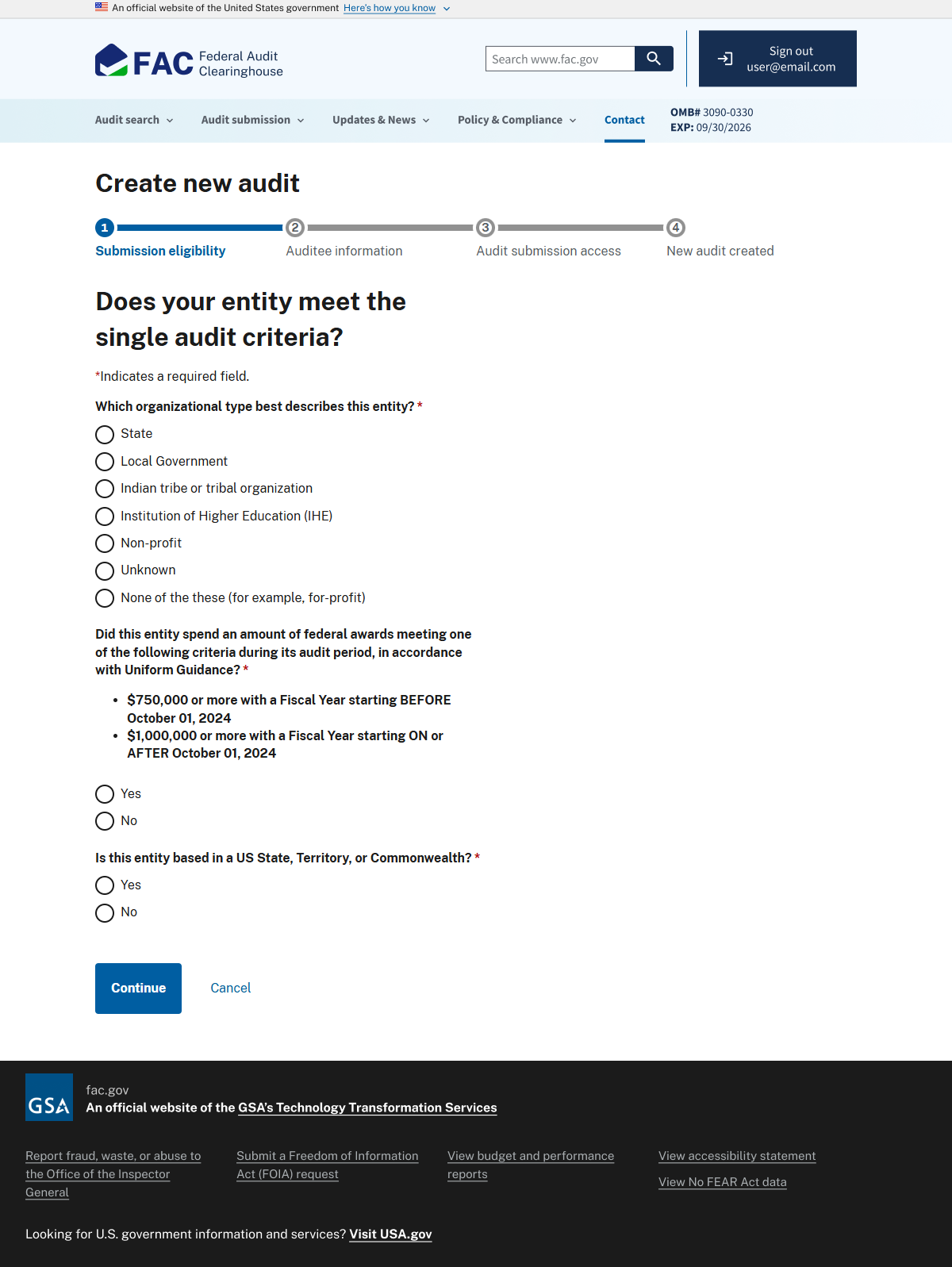
Next, you'll answer a few questions to determine whether your entity must submit a Single Audit. These include questions about the entity type and federal award expenditures during the applicable fiscal year.
Image
A screenshot of the FAC submission eligibilty page. One multiple choice question and three true or false questions ask if an entity meets the single audit criteria.
Per 2 CFR 200.501, the single audit submission process is for the following types of entities:
- Non-profits
- State and local governments
- Institutions of higher education
- Indian tribes or Tribal organizations
An entity must submit a Single Audit if it spent at least:
- $750,000 in federal awards for fiscal years beginning before October 1, 2024
- $1,000,000 in federal awards for fiscal years beginning on or after October 1, 2024
ACEE submissions
ACEE audits must be submitted directly to the Department of Treasury using its guidance. Contact the Department of Treasury if you have questions about ACEE submissions.
Audit access
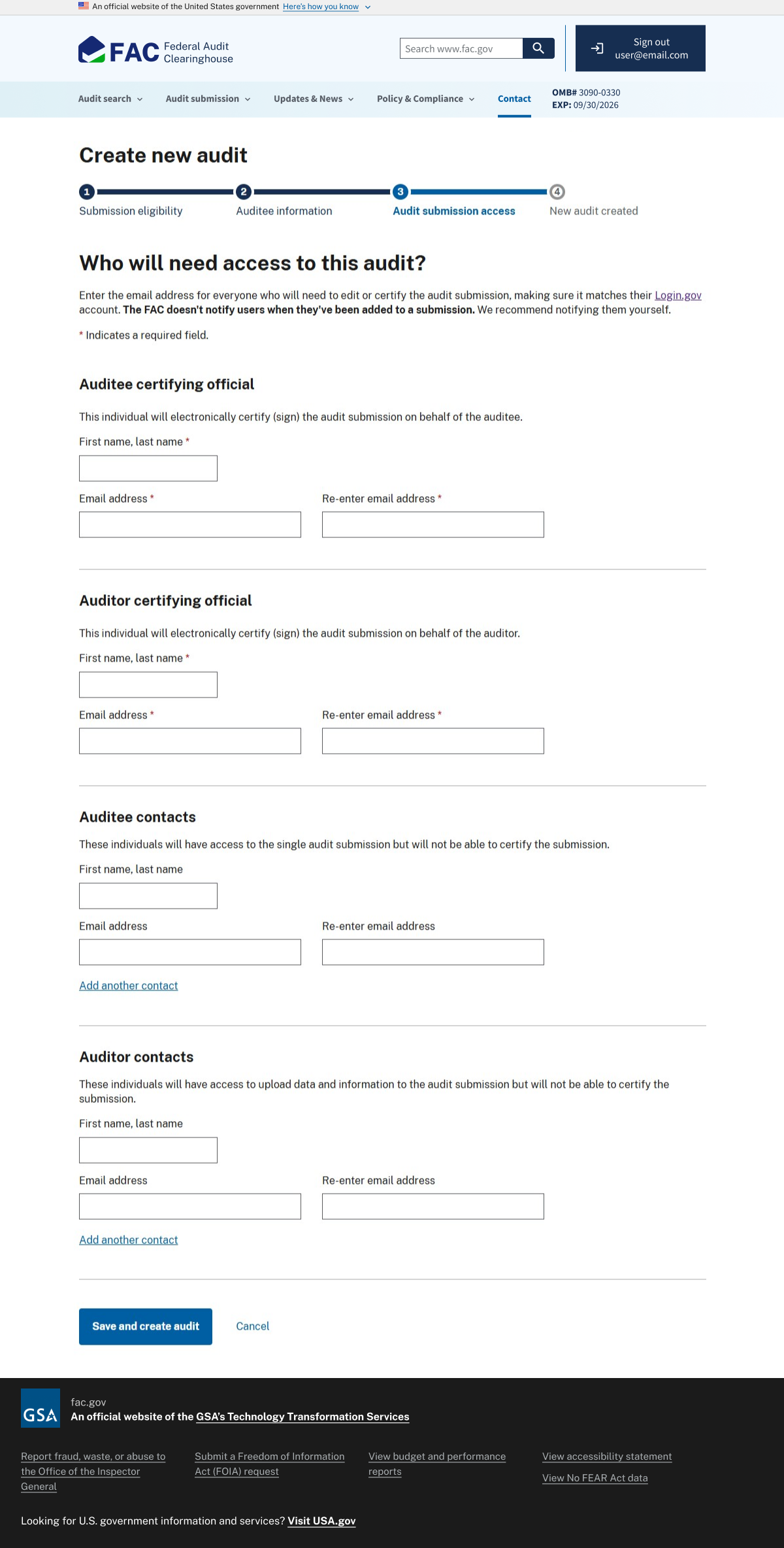
Add everyone who needs access to the audit submission, including the auditee and auditor certifying officials and anyone who will enter or edit information. Before continuing, make sure you have the names and email addresses of everyone who needs access.
Enter the email address for everyone who needs access to the audit submission. Include your own email address if you'll be working on the audit. The email addresses must match the users' Login.gov email addresses.
If you need to make changes to users after creating the audit submission, you can find instructions on our manage user access page.
The FAC doesn't notify users when you add them to an audit submission. Be sure to let them know they'll have access.
Image
A screenshot of the FAC audit submission access page. There are four sets of text input fields. Each set requests an email address, and a confirmation of the same address. From top to bottom, the sets are titled: Auditee certifying official, Auditor certifying official, Auditee contacts, Auditor contacts.